


Short answer: If your team already lives inside Notion, Notion AI feels like superpowers baked into your docs, projects, and databases. If you need a general-purpose AI that can analyze files, research the web, build custom automations, and scale across teams, ChatGPT (Plus/Team/Enterprise/Pro) wins. The best setup for most professional workflows is actually both—each shines in different parts of your day.
TL;DR by role
- Writers/PMs/Ops living in Notion: Notion AI’s inline writing, Q&A over your workspace, AI Meeting Notes, and Autofill for databases reduce context-switching.
- Analysts/Engineers/Marketing generalists: ChatGPT’s Advanced Data Analysis, multimodal input (text/images/voice), web search, and custom GPTs are broader and faster for ad-hoc work.
- Security-minded teams: Both offer strong enterprise controls; Notion Enterprise enforces zero data retention with LLM providers, while ChatGPT Enterprise/Team excludes business data from training by default and adds admin/retention controls.
What each tool actually is (in 2025)
Notion AI (inside Notion)
Notion’s AI is embedded in your workspace to search, generate, analyze and chat across docs, projects, databases, and connected apps—without leaving Notion. Core capabilities now include Q&A over your workspace, Autofill for databases, translation, meeting notes, Enterprise Search across tools like Slack/GitHub/MS Teams (beta), and Research Mode that synthesizes from your sources plus the web.

ChatGPT (stand-alone assistant for everything)
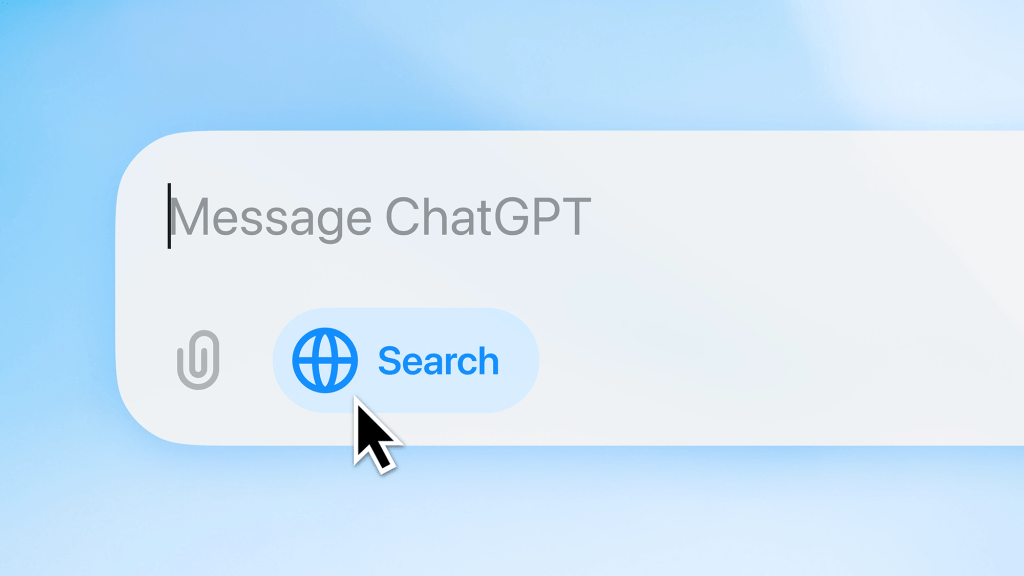
ChatGPT is a general AI assistant with plans for individuals and companies. It supports multimodal input (text, images, voice), file uploads & analysis, web search, Advanced Data Analysis, and custom GPTs via the GPT Store. Business tiers (Team/Enterprise/Pro) add admin controls, higher limits, and enterprise privacy.
Plans & pricing (today)
Notion
- Plus: $10 per member/month; trial of Notion AI.
- Business (recommended): $20 per member/month; Notion AI included (core + advanced features like Enterprise Search/Research Mode/AI Meeting Notes in beta).
- Enterprise: Custom pricing; Notion AI included with zero data retention at LLM providers.
- Notion rolled out pricing changes in 2025; details and effective dates are documented.

ChatGPT
- Free: Basic access.
- Plus: $20/month for higher limits/features.
- Team: $25/seat/mo (annual) or $30/seat (monthly) for shared workspace & admin controls.
- Pro: $200/month for maximum access and compute-heavy features.
- Enterprise: Custom pricing; enterprise-grade security & controls.
Note on APIs: OpenAI API is billed separately from ChatGPT subscriptions.

Head-to-head: where each tool boosts productivity most
1) Drafting & editing content
- Notion AI: Inline “Ask AI” to draft, summarize, fix tone/grammar, translate, and Autofill properties in databases—no app-hopping. Great for specs, docs, meeting pages, and task databases.
- ChatGPT: Faster for ideation across domains, structured rewriting, and generating variants (subject lines, ad angles, code comments). If you need to analyze attachments or combine info from PDFs/CSVs/Images, ChatGPT’s tools are stronger.
Verdict: If your output lives in Notion, Notion AI is seamless. For mixed media, file analysis, or creating many creative variants, ChatGPT wins.
2) Finding answers across your org’s knowledge
- Notion AI Q&A / Enterprise Search: Ask natural questions; it pulls answers from your Notion workspace (and connected apps) and cites sources—perfect for onboarding, SOPs, policies.
- ChatGPT: You can load files, use custom GPTs, and give team members a shared assistant, but out-of-the-box org-wide search over your internal tools is Notion AI’s native strength today.
Verdict: Notion AI is better for internal knowledge retrieval; ChatGPT is better for external research + internal docs you provide.
3) Meeting notes & follow-ups
- Notion AI Meeting Notes (beta): Auto-transcribes meetings and drafts summaries/action items directly into your workspace.
- ChatGPT: Can summarize transcripts you upload and draft follow-ups, but doesn’t natively write them into your projects/databases without an integration.
Verdict: If you manage projects in Notion, Notion AI reduces friction here.
4) Data analysis & spreadsheets
- ChatGPT Advanced Data Analysis lets you upload files, run code, build charts, and reason about data inline. It’s robust for ad-hoc analytics without leaving the chat.
- Notion AI offers charts and database summarization, but it isn’t built for running code on your data.
Verdict: ChatGPT for analytics; Notion for light summaries in your databases.
5) Automations & integrations
- Notion: Database automations, buttons, webhooks, plus growing Enterprise Search connectors (Slack, GitHub, MS Teams, Jira, SharePoint/OneDrive in beta).
- ChatGPT Team/Enterprise: Admin console, role-based controls, SAML SSO/SCIM, and connectors to company tools; pair with custom GPTs to standardize workflows.
Verdict: Notion automates inside your workspace; ChatGPT automates how you work across tools.
Privacy, security & compliance
- Notion AI: “By default, Notion and its AI subprocessors do not use customer data to train models.” Enterprise workspaces enforce zero data retention with LLM providers; Notion details how AI queries are processed via vector search and LLMs.
- ChatGPT (Team/Enterprise/Edu & API): OpenAI states it does not train on your business data by default. Enterprise adds retention controls; the API platform offers zero-data-retention options for qualifying orgs. For consumer Plus, your content may be used to improve models unless you opt out.
Feature comparison (quick view)
| Capability | Notion AI | ChatGPT |
|---|---|---|
| Inline doc writing & editing | Native in Notion pages | Yes, but outside your docs |
| Q&A over internal knowledge | Built-in across workspace; Enterprise Search | Via uploads/custom GPTs; no native Notion-style workspace graph |
| Meeting notes | AI Meeting Notes (beta) | Summarize uploaded transcripts |
| Database Autofill/Summaries | Yes | N/A (outside Notion) |
| Advanced Data Analysis / code on files | Basic summaries/charts | Yes (upload files, run analysis) |
| Web search / research | Research Mode (beta) inside Notion | Yes—browsing & research tools |
| Custom assistants / store | Templates; AI blocks | Custom GPTs + GPT Store |
| Admin & compliance | SSO/SCIM/DLP/SIEM (tiers vary) | SAML SSO, SCIM, SOC2, RBAC (Team/Enterprise) |
| Data training defaults | Not used to train by default; Enterprise zero retention with LLM providers | Business data not used to train by default; opt-out for consumer Plus |
Which one should you pick?
- Choose Notion AI if: your team already works in Notion, wants instant answers from its workspace, and needs AI to live inside docs, tasks, and databases (with minimal change management).
- Choose ChatGPT if: you need a universal AI sidekick for analyzing files, coding, research, brainstorming, and standardized assistants (custom GPTs) across teams.
- Choose both if: you want frictionless internal knowledge work (Notion AI) plus broad creation/analysis (ChatGPT).
A simple combo workflow (used by high-performing teams)
- Draft the PRD/strategy in Notion → use Notion AI to outline, rewrite, and fill database properties.
- Pull messy spreadsheets/CSVs into ChatGPT Advanced Data Analysis to model scenarios and charts.
- Paste insights back to Notion; tag teams; let Q&A/Enterprise Search surface answers later.
- Standardize steps with a custom GPT (e.g., “PRD Checker”) shared to your ChatGPT Team workspace.
Pricing snapshots (for budgeting)
- Notion Business: $20/seat/month with Notion AI included (advanced features in beta). Plus at $10 with AI trial; Enterprise custom (zero data retention at LLM providers).
- ChatGPT Plus: $20/month personal. Team: $25–$30/seat. Pro: $200/month. Enterprise: custom.
FAQ
Does Notion AI use my data to train its models?
By default, no. Notion and its AI subprocessors do not use customer data to train models; Enterprise enforces zero data retention with LLM providers.
Does ChatGPT train on my company’s data?
For Team/Enterprise/Edu/API, OpenAI states it does not train on your business data by default and provides retention controls. For consumer Plus, content may be used for training unless you opt out.
Is the OpenAI API included with ChatGPT Plus/Team?
No—API is billed separately.
References
- Notion AI product & features: “Meet the new Notion AI” (product page); “Introducing Q&A” (blog); Help Center guides on AI and Autofill.
- Notion pricing & 2025 changes; Business includes Notion AI, Enterprise zero-retention.
- Notion AI privacy & data handling.
- ChatGPT plans: Plus, Team, Pro, Enterprise; benefits & pricing.
- GPT Store & custom GPTs.
- Advanced Data Analysis & web search overview.
- Enterprise privacy & retention controls.
Final recommendation
- If you’re deep in Notion all day, start with Notion AI (Business) for an immediate lift (drafting, Q&A, meeting notes, database autofill).
- If your work spans files, inboxes, research, code, and analytics, add ChatGPT Plus (solo) or Team (company) and standardize with custom GPTs.
- For large orgs, combine Notion Enterprise (zero-retention with LLM providers) plus ChatGPT Enterprise (admin controls, retention options) to cover both internal knowledge and external creation/analysis.


Leave a Comment